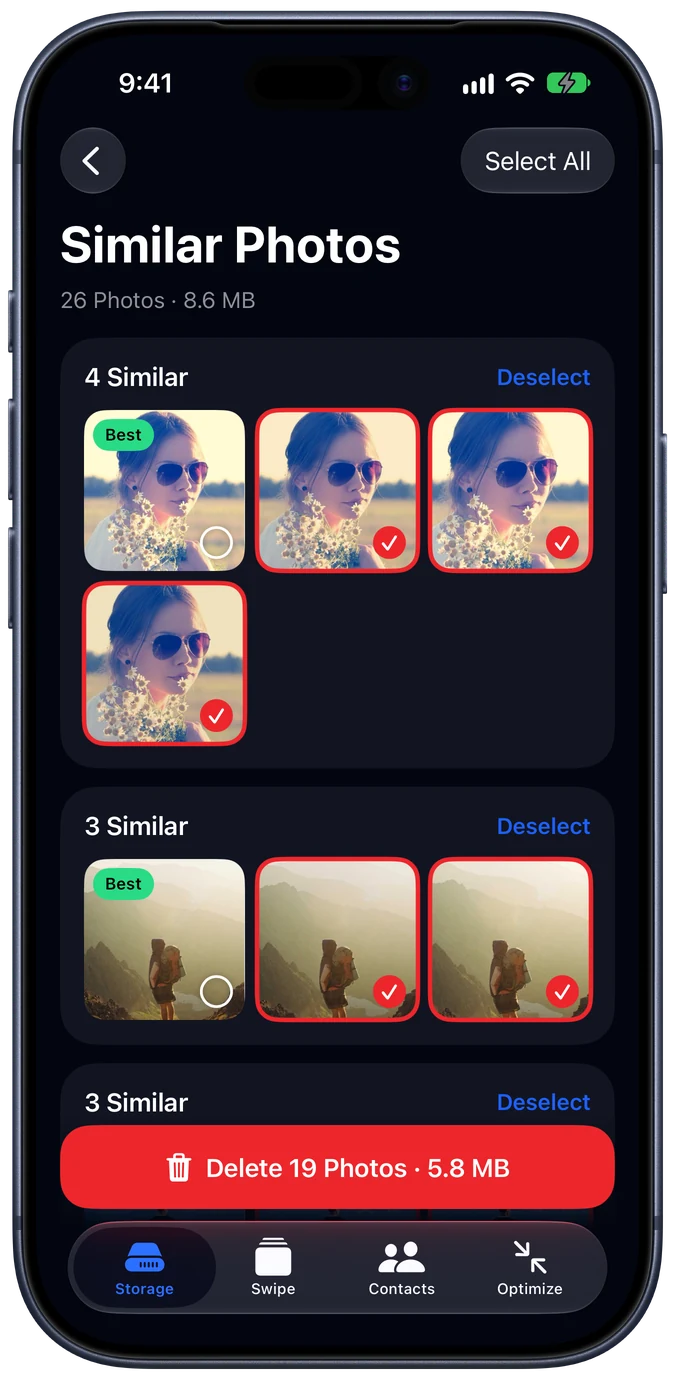
Similar photos
Keeps the best shot of every burst
Near-identical photos are grouped together and the sharpest one is picked to keep. Review the picks or clear them all at once.
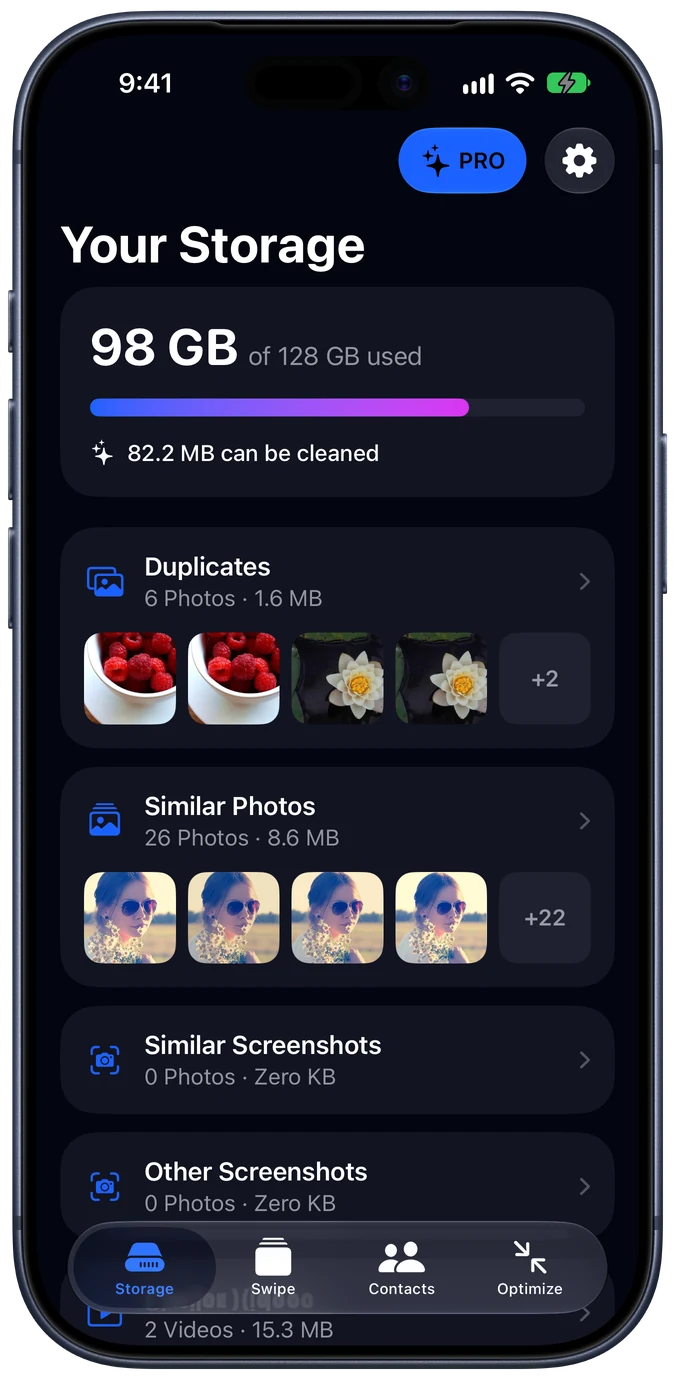
Cleaner finds duplicate and similar photos, oversized videos and messy contacts, keeps the best shot, and clears the rest in a few taps.
0
photos uploaded. Everything stays on your iPhone
~55%
smaller videos at the default compression level
30 days
to change your mind: deletions go to Recently Deleted
1 tap
to keep the best shot and clear the rest
[ Features ]
Cleaner scans your whole library on your iPhone and sorts what can go into clear groups, so you decide in seconds instead of scrolling for hours.
Similar photos
Near-identical photos are grouped together and the sharpest one is picked to keep. Review the picks or clear them all at once.
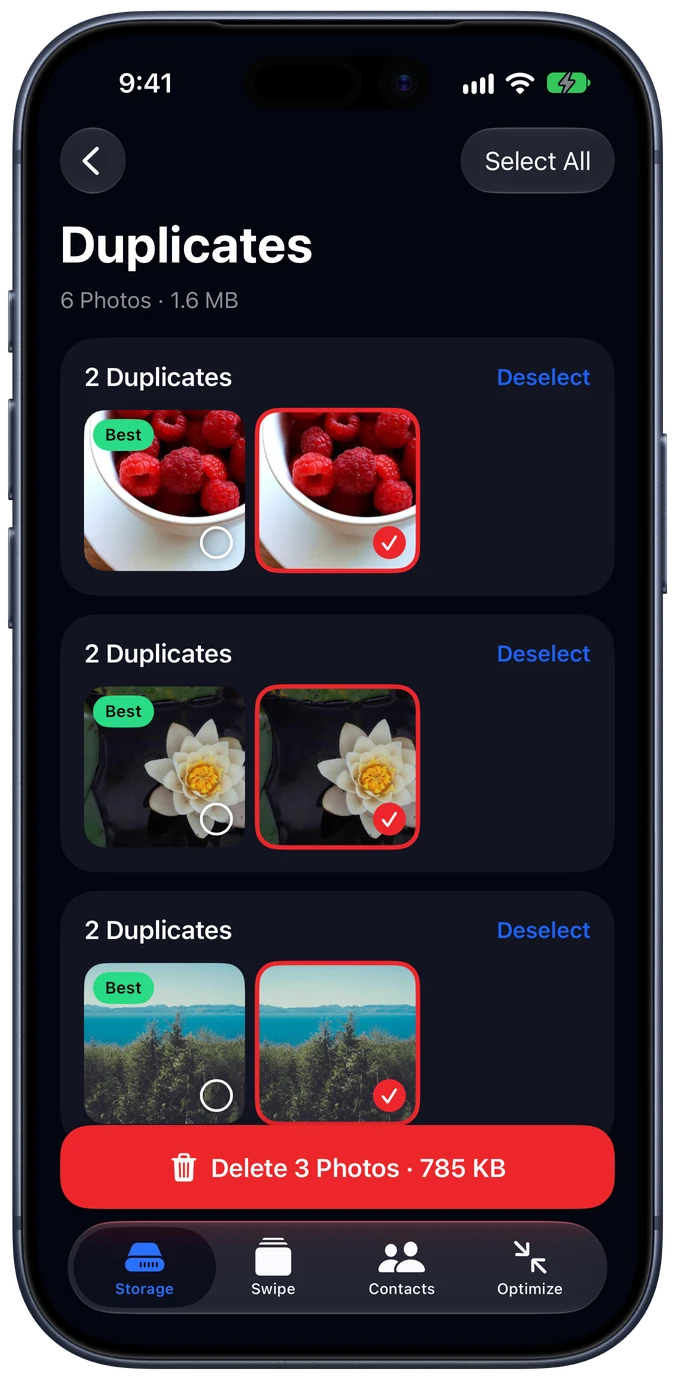
Duplicates
Pixel-for-pixel duplicates are matched and the extras selected for you.
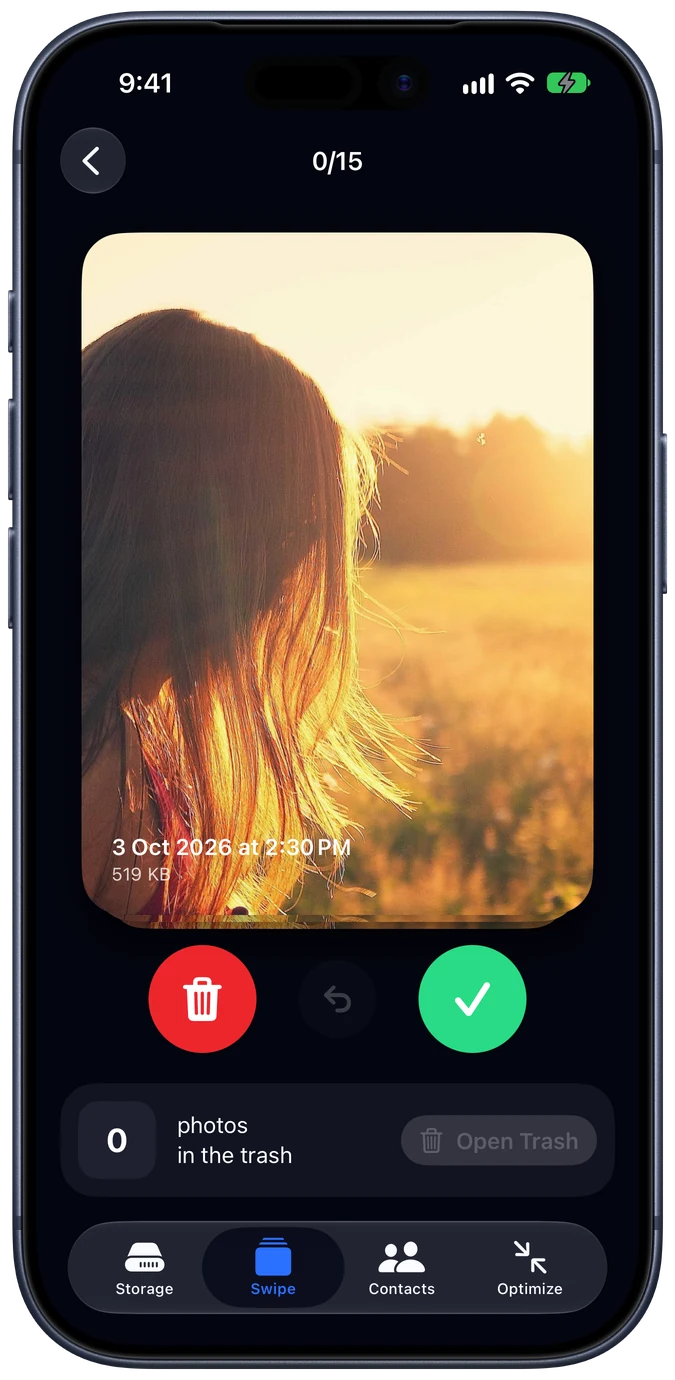
Swipe
Left to delete, right to keep. A final trash review before anything goes.
Video compression
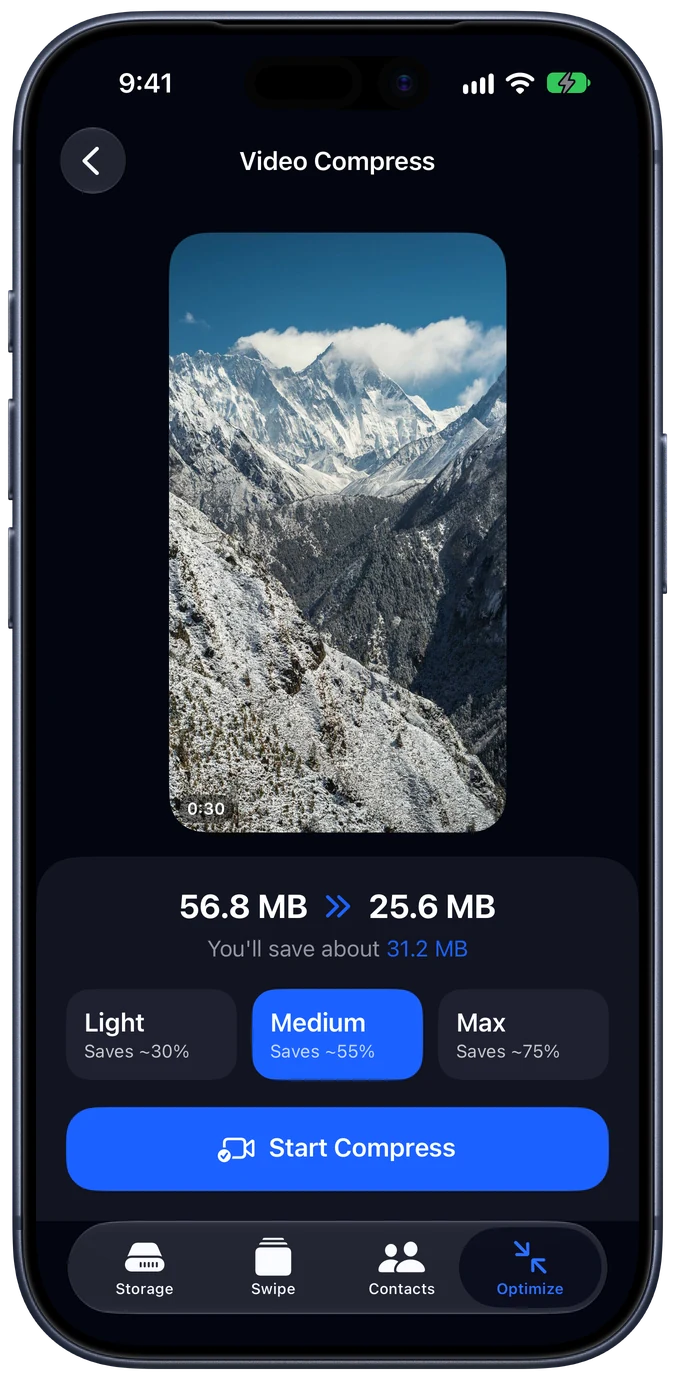
Re-encode big videos to HEVC on your iPhone's hardware encoder. Choose Light, Medium or Max, and keep the date, location and favorite.
Live to Still
Live Photos carry a short video. Turn the ones you don't need into stills and get that space back.
Contacts
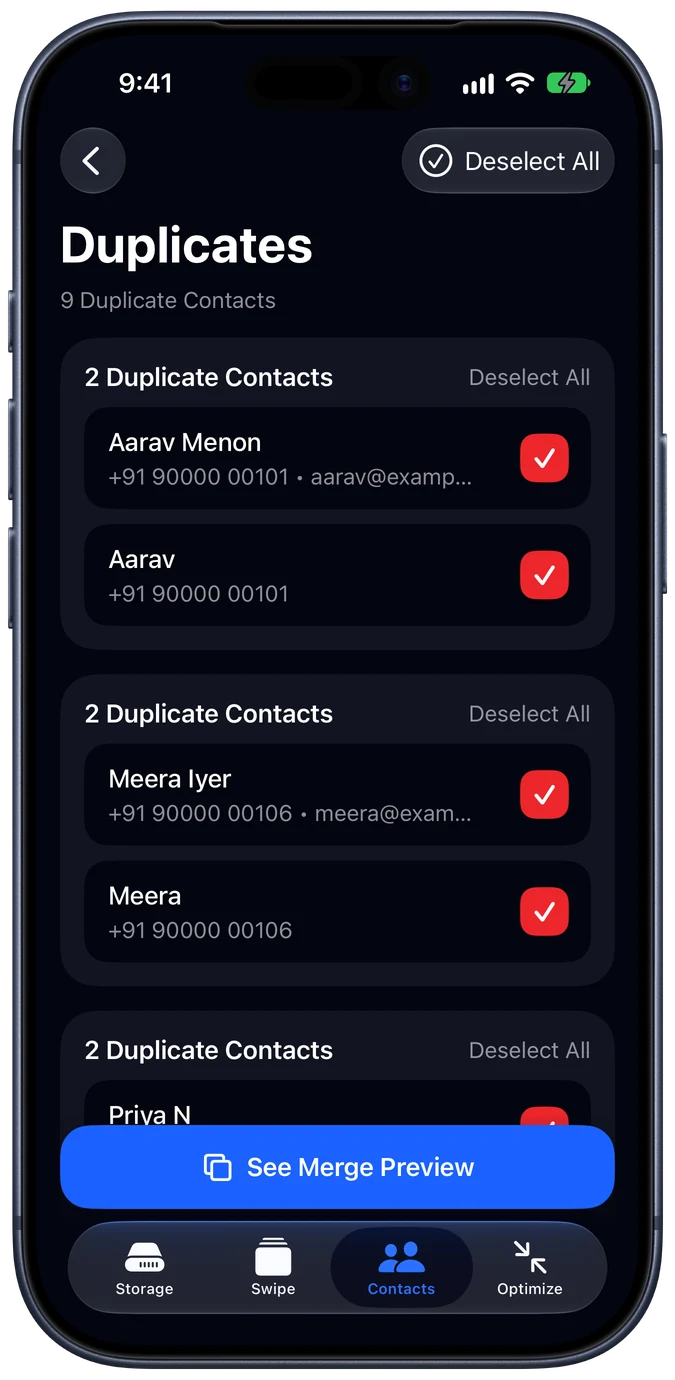
Find contacts that share a number, email or name, preview the merge, and back up first with one tap.
[ How it works ]
Cleaner looks through your library on your iPhone and groups similar shots, duplicates and big videos.
Open a group. The best photo is kept and the rest are selected. Change anything you like.
iOS asks before anything is deleted, and deleted items wait in Recently Deleted for 30 days.
A tidier library and gigabytes back for photos you haven't taken yet.
[ Privacy ]
Cleaner never sends your photos, videos or contacts anywhere. It couldn't misuse them even if it wanted to.
[ Pricing ]
Free to download. See what Cleaner finds, then upgrade to Pro to clear it all.
Weekly
$4.99 / week
3-day free trial
Yearly
$29.99 / year
Save 88% vs weekly
Lifetime
$49.99 once
Pay once, yours forever
Prices in US dollars; App Store prices vary by country. Subscriptions renew automatically. Cancel anytime in Settings.
Yes. iOS asks you to confirm every delete, and deleted photos and videos go to Recently Deleted in the Photos app, where you can recover them for 30 days.
No. Photos, videos and contacts are analyzed on your iPhone and never leave it. Cleaner works without an internet connection.
Similar photos are grouped by when they were taken and how alike they look, using Apple's Vision framework on your device. The largest, highest-quality shot in each group is kept by default, and you can change the pick.
Compression re-encodes video to HEVC, the same format iPhone cameras use. Light keeps full resolution; Medium caps at 1080p and Max at 720p. The original goes to Recently Deleted, so you can compare and undo.
Any iPhone running iOS 18 or later.
Open Settings on your iPhone, tap your name, then Subscriptions, and choose Cleaner. Cancel at least 24 hours before renewal to avoid the next charge.
Cleaner is coming soon to the App Store.